
Welcome to Productivity Workbench
Productivity Workbench offers two ways of working — the Product Workspace for team-led agile delivery, and the AI Product Studio for AI-native delivery — with an Organisation Hub for enterprises managing several of either.
Use the filters above to narrow these docs. Most pages describe the Product Workspace; the AI Product Studio and the Organisation Hub have their own sections. Within the Workspace and the Studio you can also filter by plan.
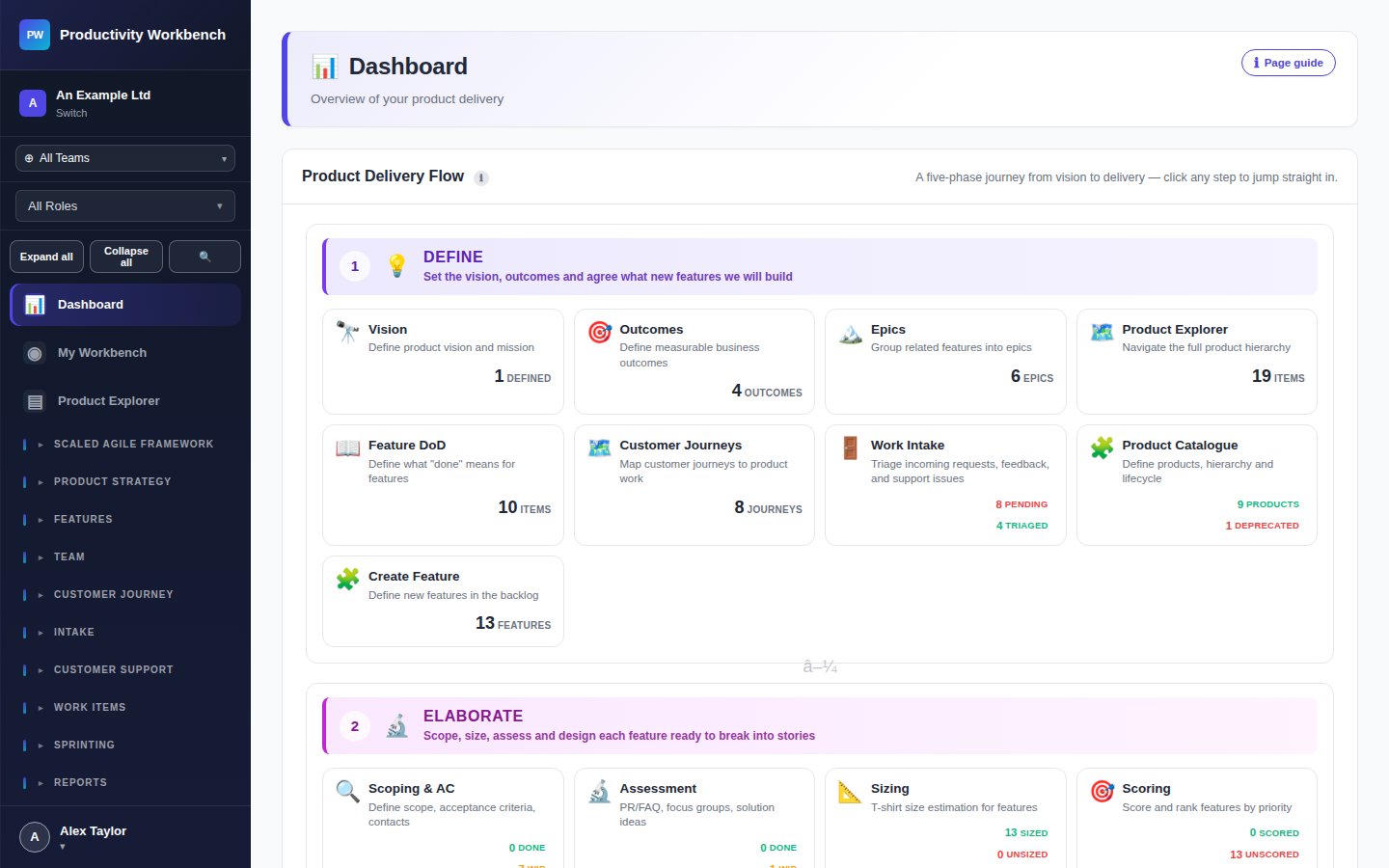
What can you do with Productivity Workbench?
The platform covers every stage of product delivery, organised around a clear entity hierarchy:
🔭 Vision
🎯 Outcomes
⚡ Epics
✨ Features
📖 Stories / Work Items
🏃 Sprints
On the Free tier, you work at the Feature and Story level. Vision, Outcomes, and Epics are available on Business and above.
What's included in your tier?
🆓 Free
- 1 workspace, up to 10 users
- Feature & Story management
- Sprint planning, board, burndown, retros
- Release notes
- Community support
⭐ Business
- Everything in Free
- 1 workspace, up to 200 users
- Vision, Outcomes, Epics hierarchy
- Product Catalogue
- WSJF Prioritisation & Roadmap
- Capacity planning & Scheduling Assistant
- Work Intake & Triage
- User Journeys, Personas, Value Streams
- Customer Support, Tickets & Portal
- Email support, business hours
🏢 Enterprise
- Everything in Business
- Unlimited users
- Organisation Hub for multi-workspace governance
- Workspace templates and guided enterprise setup
- Scaled Agile Framework (SAFe)
- Jira, GitHub, GitLab & ServiceNow integrations
- Enterprise governance: risk register, controls, evidence packs
- Executive summary & control coverage reports
- SSO, MFA, IP allow-list enforcement, ringfencing
- AI-powered assistance (BYOK)
- Priority support & SLA
- Guided onboarding
How to navigate this documentation
Use the sidebar on the left to jump between sections. The tier selector above filters guidance to what's relevant to your subscription.
- Getting Started — set up your workspace and follow the happy path to your first sprint.
- How To? — step-by-step guides for common Product Owner activities.
- Page Guides — a reference for every page in the app.
- Quick Reference — glossary, tier comparison, and FAQ.