
Burndown Chart
Track remaining work against the ideal pace throughout a sprint, so you can spot delivery risk early and course-correct before the sprint ends.
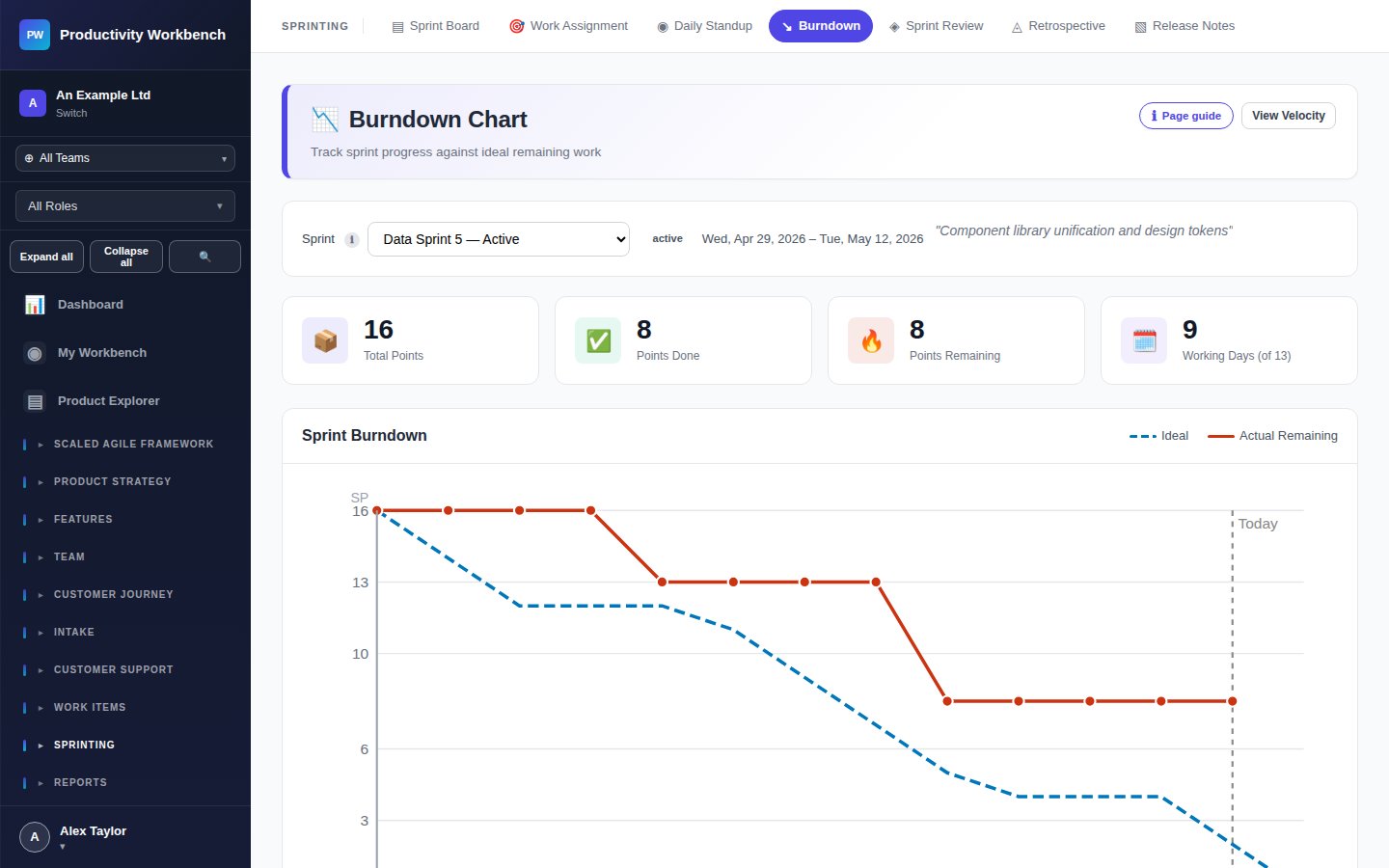
Reading the chart
The Burndown chart plots two lines over the sprint duration:
- Ideal line — straight line from total sprint points on day 1 to zero on the last day. Represents perfect linear progress.
- Actual line — real remaining points, updated each time a Story is marked Done. Points only burn when Stories are completed — partial progress does not reduce the line.
When the actual line is above the ideal line, the team is behind. When it is below, the team is ahead of plan.
Common patterns
Sprint selector
Use the sprint dropdown at the top of the page to view the burndown for any past sprint or the current active sprint. Past sprints show the final actual vs. ideal comparison, useful for retrospective analysis.
Story breakdown panel
Below the chart, a table lists every Story in the sprint with its points and completion date (or current status). Hover a data point on the chart to see which Stories were completed on that day.
Scope change markers
If Stories are added or removed mid-sprint, a marker appears on the chart at that date with a tooltip describing the change. This makes scope creep visible and audit-traceable.
Tips
- Review the burndown in daily standup — a rising or flat line for two days running should trigger a team conversation.
- Don't update Stories to Done until the acceptance criteria are fully met — inflating the burndown masks real risk.
- Use the burndown alongside velocity (not instead of it) — burndown shows within-sprint health, velocity shows trend across sprints.