
Feature Board
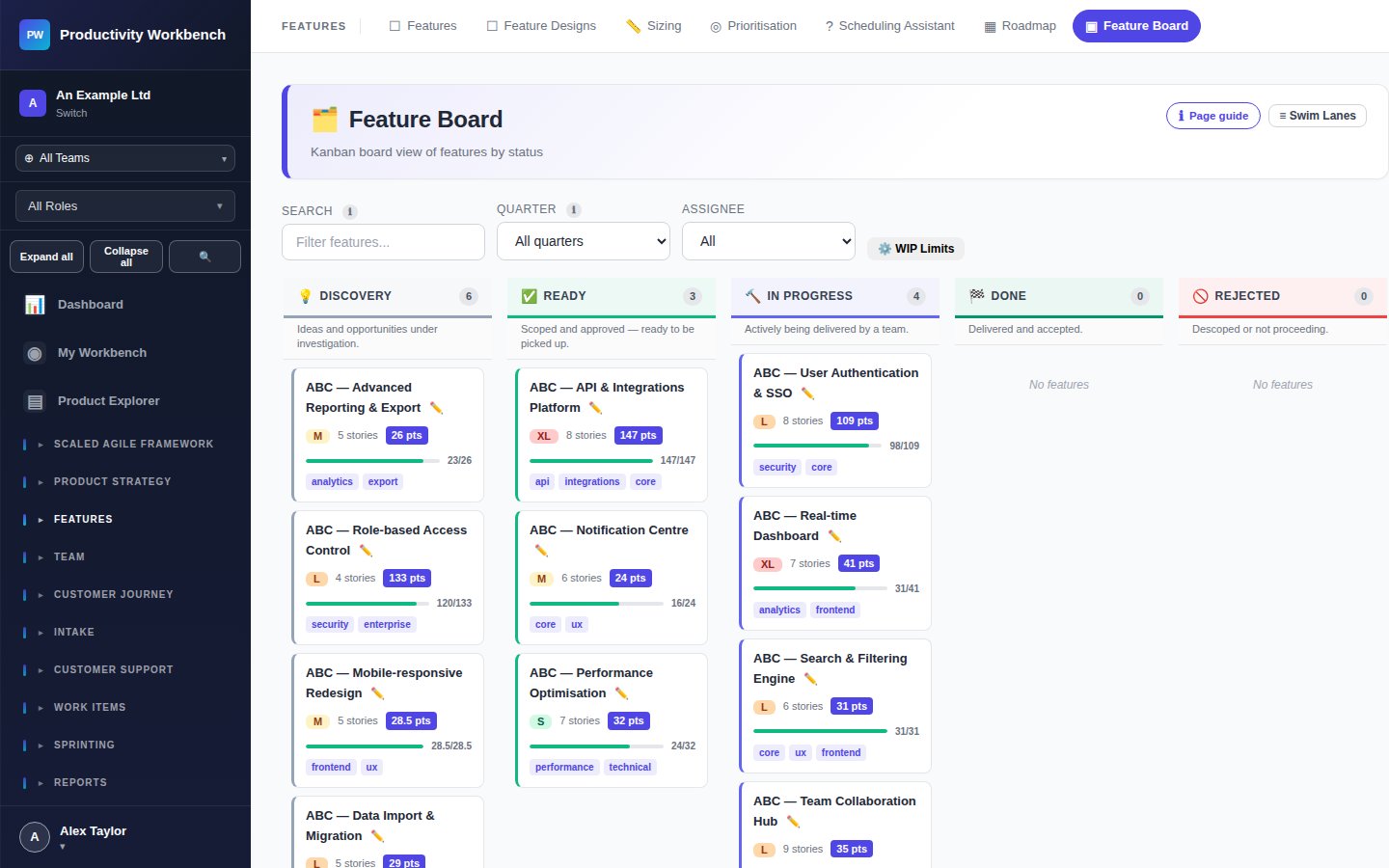
A Kanban-style board that visualises your entire Feature backlog by status, giving POs a high-level view of work in progress across the delivery pipeline.
Purpose
The Feature Board complements the Features list page. Where the list gives you sortable rows, the board gives you column-based flow visibility. Use it to spot bottlenecks (e.g. too many Features stuck in In Progress), manage WIP, and communicate delivery status at a glance to stakeholders.
Board columns
Feature cards
Each card shows: Feature title, tier badge, size estimate, priority score (WSJF), assigned team (Business+), and a story completion ratio (e.g. 3/7 stories done). Click any card to open the Feature popup for full detail and inline editing.
Drag and drop
Drag a Feature card between columns to update its status. The status change is saved immediately and logged in the audit trail. Dragging into Done triggers a confirmation if unfinished Stories remain.
Filtering
Use the filter bar above the board to narrow by: Epic, team, assignee, size, or WSJF score range. Active filters are shown as chips and can be cleared individually.
WIP limits Business+
Set a WIP limit per column in Admin → Agile Settings. When a column exceeds its limit, the column header turns amber and a warning tooltip appears. WIP limits are advisory — they warn but do not block.
Tips
- Review the board in your weekly PO sync — anything stuck for more than two sprints needs attention.
- Use On Hold rather than deleting Features you're not ready to remove — it preserves history.
- Sort by WSJF before sprint planning to quickly identify the highest-value Ready Features.