
Work Items (Stories)
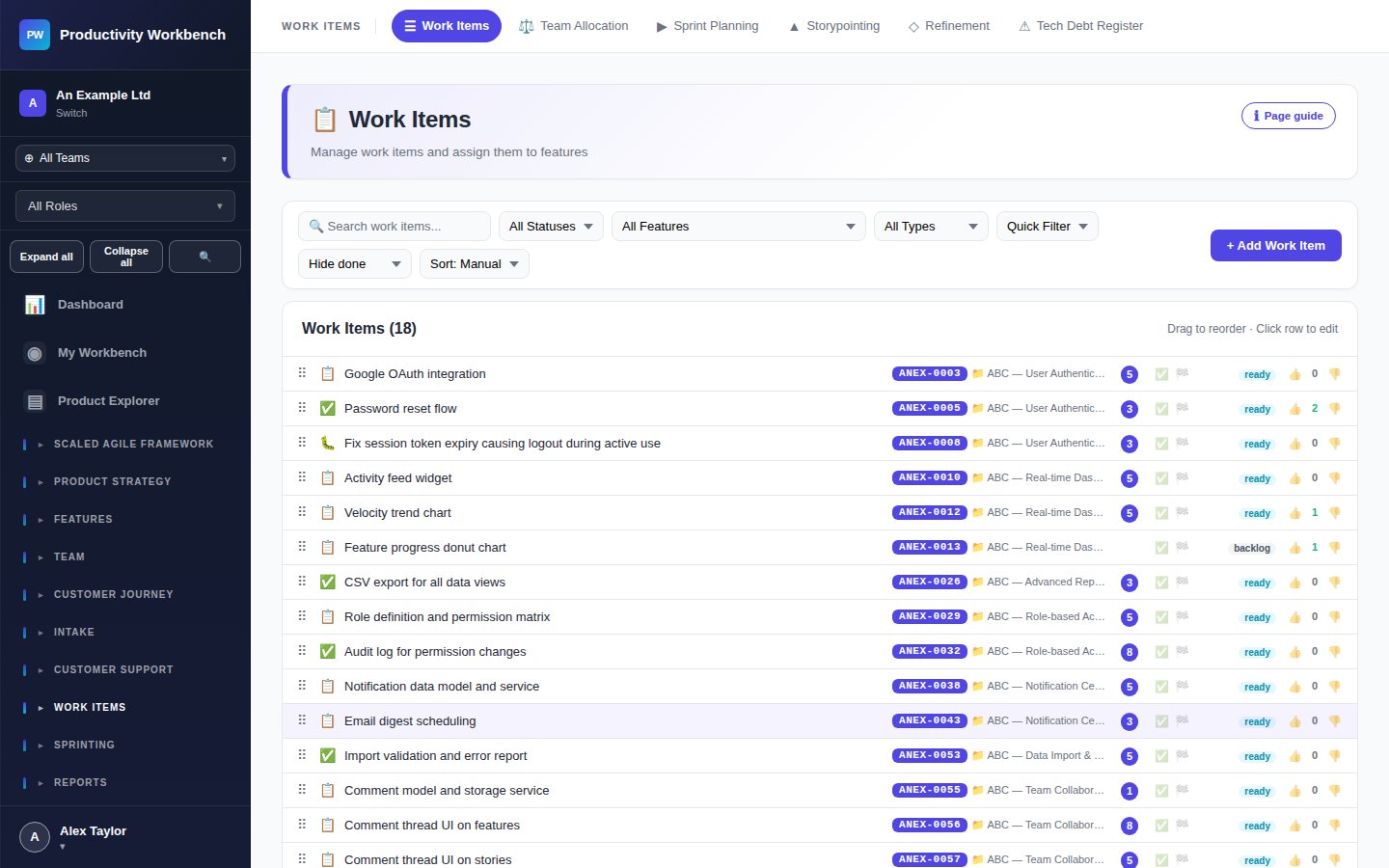
The Stories page is the central registry for all delivery work — user stories, bugs, technical tasks, and spikes — across every Feature in your product.
Story types
User Story — Delivers user-facing value. Format: "As a [persona] I want [goal] so that [benefit]."
Bug — Defect requiring a fix. Should include steps to reproduce and expected vs. actual behaviour.
Technical Task — Infrastructure, refactoring, or platform work with no direct user-facing change.
Spike — Time-boxed investigation or prototype. Should have a clear output (decision, proof of concept, or risk reduction).
Story fields
Title — Short, action-oriented summary of the work.
Description — Full "As a / I want / So that" or plain-text detail. Supports markdown.
Acceptance Criteria — Testable conditions that must be met for the Story to be accepted. Use the checklist format: one criterion per line.
Points — Story point estimate. Set via storypointing or manually. Required before sprint planning.
Status — To Do → In Progress → In Review → Done (or Blocked / On Hold).
Feature — Parent Feature. Optional if hierarchy level excludes Features.
Sprint — Assigned sprint. Empty = product backlog.
Assignee — Team member responsible. Defaults to unassigned.
Priority — Must Have / Should Have / Could Have / Won't Have (MoSCoW).
Tags — Free-text labels for filtering and grouping.
Definition of Ready — Checklist confirming the Story is ready to start. Configured in Admin → Story Standards.
Definition of Done — Checklist confirming the Story is truly complete. Configured in Admin → Story Standards.
Blocked flag — Mark a Story as blocked and record the blocking reason. Highlighted on the Sprint Board.
Dependencies — Link to other Stories that must complete first. Business+
Notes / Comments — Free-text thread for discussion and decisions during refinement.
Story statuses
To Do→In Progress→In Review→Done
Side paths: Blocked (pauses progress, requires reason), On Hold (deprioritised).
Creating a Story
- Click + New Story in the page header or from within a Feature popup.
- Select the parent Feature (or leave blank for unparented).
- Enter a title, description, and acceptance criteria.
- Save — the Story is added to the product backlog with status To Do.
Filters and views
Filter Stories by: Feature, Epic, sprint, status, assignee, type, priority, tag, or points range. Switch between List view (tabular, sortable) and Card view (compact tiles). Save custom filter sets as named views.
Bulk actions
Select multiple Stories using the checkboxes, then: assign to sprint, change status, reassign to team member, or move to a different Feature. Useful during sprint planning and backlog grooming.
Tips
- Keep Stories small — ideally completable within a single sprint by one person.
- Write acceptance criteria before estimation — vague Stories get inflated estimates.
- Use the Blocked flag immediately when a blocker is discovered — don't wait for standup.
- Stories without points won't appear in capacity calculations during Sprint Planning.